GPU-Native Visualization GPU 原生可视化

VULTORCH

Real-time PyTorch tensor visualization via Vulkan external memory.
Zero-copy from CUDA to screen — for training, debugging, and research.

通过 Vulkan 外部内存实现 PyTorch 张量实时可视化
CUDA 到屏幕零拷贝 — 用于训练、调试与科研。

MIT Python 3.8+ Vulkan 1.2 PyPI
Vultorch visualization

// real-time tensor visualization at 60 fps

// 60 fps 实时张量可视化

What You Can Build 你可以用它做什么

Anything that lives in a torch.Tensor can be visualized — neural rendering, RL, physics, signals.

任何存在于 torch.Tensor 中的数据都能可视化 — 神经渲染、强化学习、物理仿真、信号处理。

🌐

NeRF / 3DGS

NeRF / 3DGS

Inspect rendered views frame-by-frame as your radiance field trains. Adjust hyperparams with live sliders.

逐帧检查辐射场训练中的渲染视图,通过滑条实时调整超参数。

🎨

Differentiable Rendering

可微渲染

Display rendered images, gradient maps, and error heatmaps side-by-side. Data never leaves the GPU.

并排显示渲染图、梯度图与误差热力图。数据全程不离开 GPU。

🐍

Reinforcement Learning

强化学习

Watch DQN agents learn Snake in real time. Visualize Q-value heatmaps, reward curves, exploration.

实时观看 DQN 智能体学习贪吃蛇。可视化 Q 值热力图、奖励曲线、探索策略。

🧊

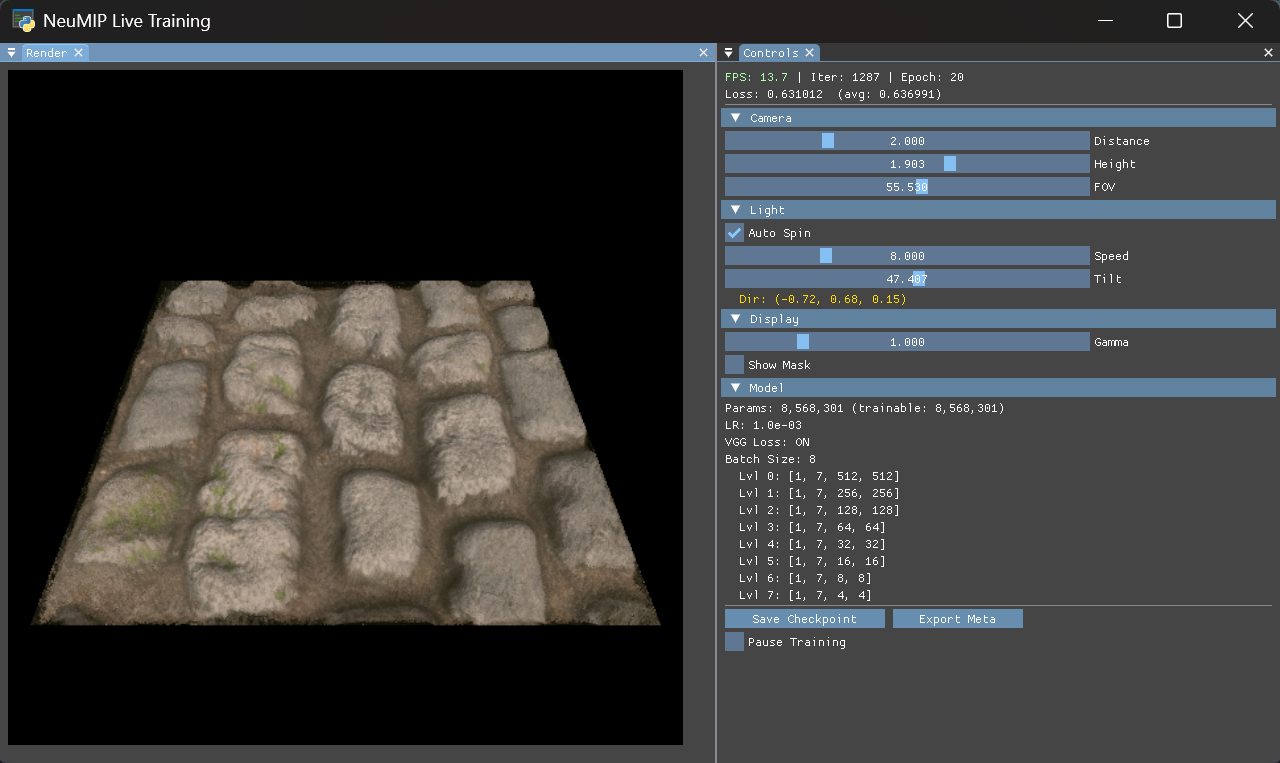
Neural Textures

神经纹理

Watch textures converge and spot artifacts during training without saving intermediate PNGs.

训练过程中实时观察纹理收敛、发现伪影,无需保存中间图片。

🔬

Live Hyperparameter Tuning

实时超参数调优

Change LR, optimizer, loss function, and network architecture at runtime — see effects instantly.

运行时修改学习率、优化器、损失函数、网络结构 — 即时看到效果。

📐

Geometry & Physics

几何与物理仿真

SDF fields, cellular automata, simulations — use built-in 3D viewer or pixel-perfect 2D grids.

SDF 场、元胞自动机、仿真 — 使用内置 3D 查看器或像素级 2D 网格。


How It Works 工作原理

Zero-Copy Path
零拷贝通路
Vulkan external memory → CUDA import → torch.Tensor. No staging, no CPU round-trip.
Vulkan 外部内存 → CUDA 导入 → torch.Tensor,无中转,无 CPU 回传。
🖥️
Native Window
原生窗口
Real OS window via SDL3 — not a browser tab or notebook widget. Full keyboard & mouse.
SDL3 原生窗口 — 非浏览器或 notebook 组件,完整键鼠交互。
🎛️
ImGui Interface
ImGui 界面
Sliders, color pickers, plots, buttons. DockBuilder for programmatic panel layout.
滑条、颜色选择器、折线图、按钮。DockBuilder 代码化面板布局。
🔮
3D Scene Viewer
3D 场景查看器
Orbit camera, MSAA, Blinn-Phong shading. Inspect meshes and textures directly.
轨道相机、MSAA、Blinn-Phong 光照。直接检视网格与纹理。

Install 安装

$ pip install vultorch

Requirements 环境要求

Python
3.8+
GPU 显卡
Vulkan-capable 支持 Vulkan
Vulkan
Ships with GPU driver 随 GPU 驱动自带
CUDA
For zero-copy interop 用于零拷贝互操作
Platform 平台
Windows · Linux (WSL2)

Quick Start 快速开始

Declarative API — View → Panel → Canvas 声明式 API — View → Panel → Canvas

import torch, vultorch

texture = torch.rand(512, 512, 4, device="cuda")

view = vultorch.View("Viewer", 800, 600)
panel = view.panel("Output")
panel.canvas("main").bind(texture)
view.run()  # opens window, renders at 60 fps

True Zero-Copy — write directly to display buffer 真零拷贝 — 写入即显示

# Vulkan shared memory → torch.Tensor — zero memcpy
tensor = vultorch.create_tensor(512, 512, channels=4)
tensor[:] = model(input)  # write directly, visible on screen

Training Loop — step()/end_step() for interactive training 训练循环 — step()/end_step() 交互式训练

view = vultorch.View("Training", 1000, 700)
# ... set up panels, canvases, controls ...

while view.step():
    loss = train_one_step()
    update_display(output_tensor)
    view.end_step()  # render frame

Examples 示例

13 runnable examples — from hello-world to a full neural rendering workstation and RL agents.

13 个可运行示例 — 从 hello-world 到完整的神经渲染工作站与强化学习智能体。


Build from Source 从源码构建

Requires the Vulkan SDK and CMake 3.25+.

需要 Vulkan SDK 和 CMake 3.25+。

git clone --recursive https://github.com/ChenlizheMe/Vultorch.git
cd Vultorch

# Windows
cmake --preset release-windows
cmake --build --preset release-windows

# Linux / WSL2
cmake --preset release-linux
cmake --build --preset release-linux

pip install dist/vultorch-*.whl